FLAME MOBILEAvailable soon

Your IDE.
In your pocket.

Leave your desk. Keep the work moving.

Guide coding agents, review Git changes, and reach your terminal from your phone. Flame Mobile connects to Flame IDE on your computer, so the projects you care about stay within reach.

Native iOS & Android companion · Available soon

Meet your workspace away from the desk
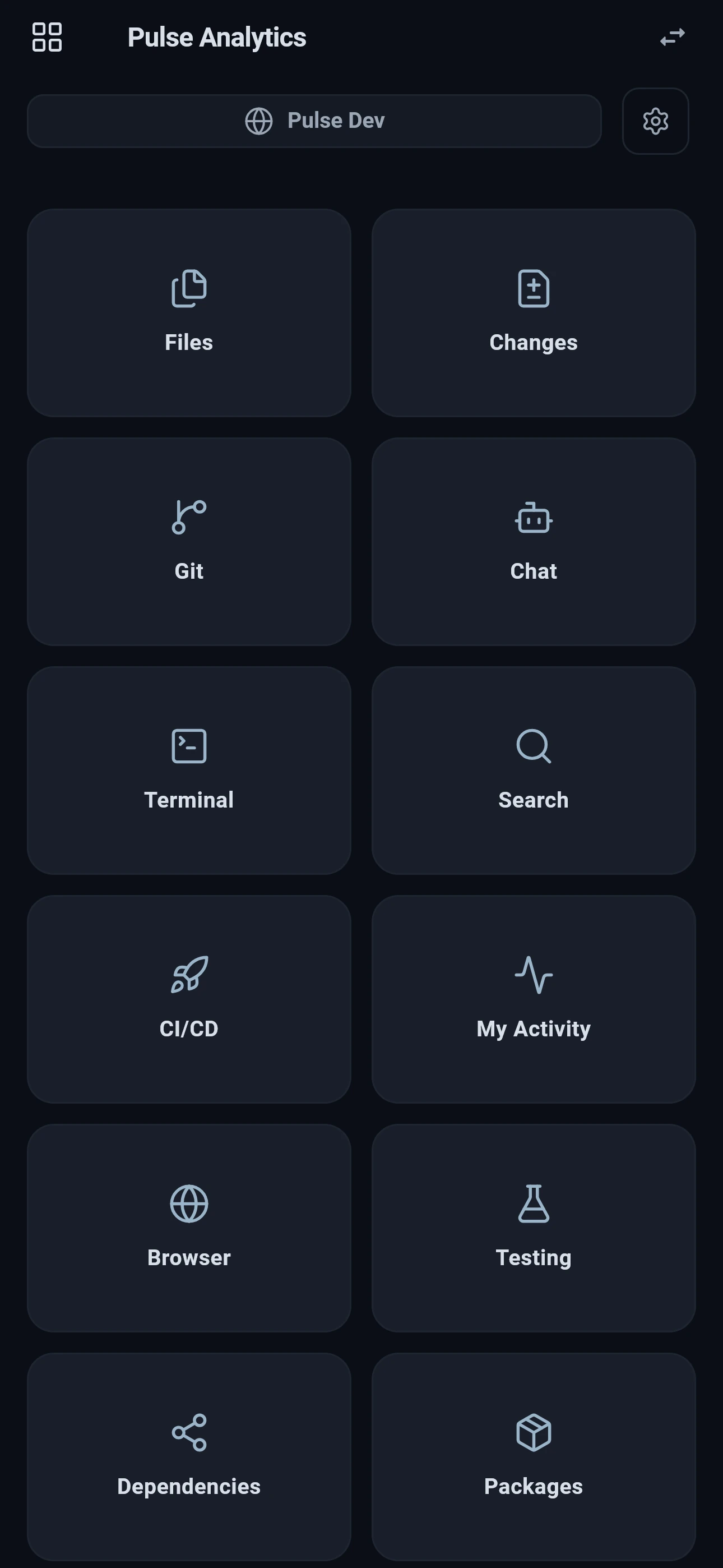
Flame Mobile main menu with Git, chat, terminal, CI/CD, My Activity, and package tools
Your workspace, one tap away
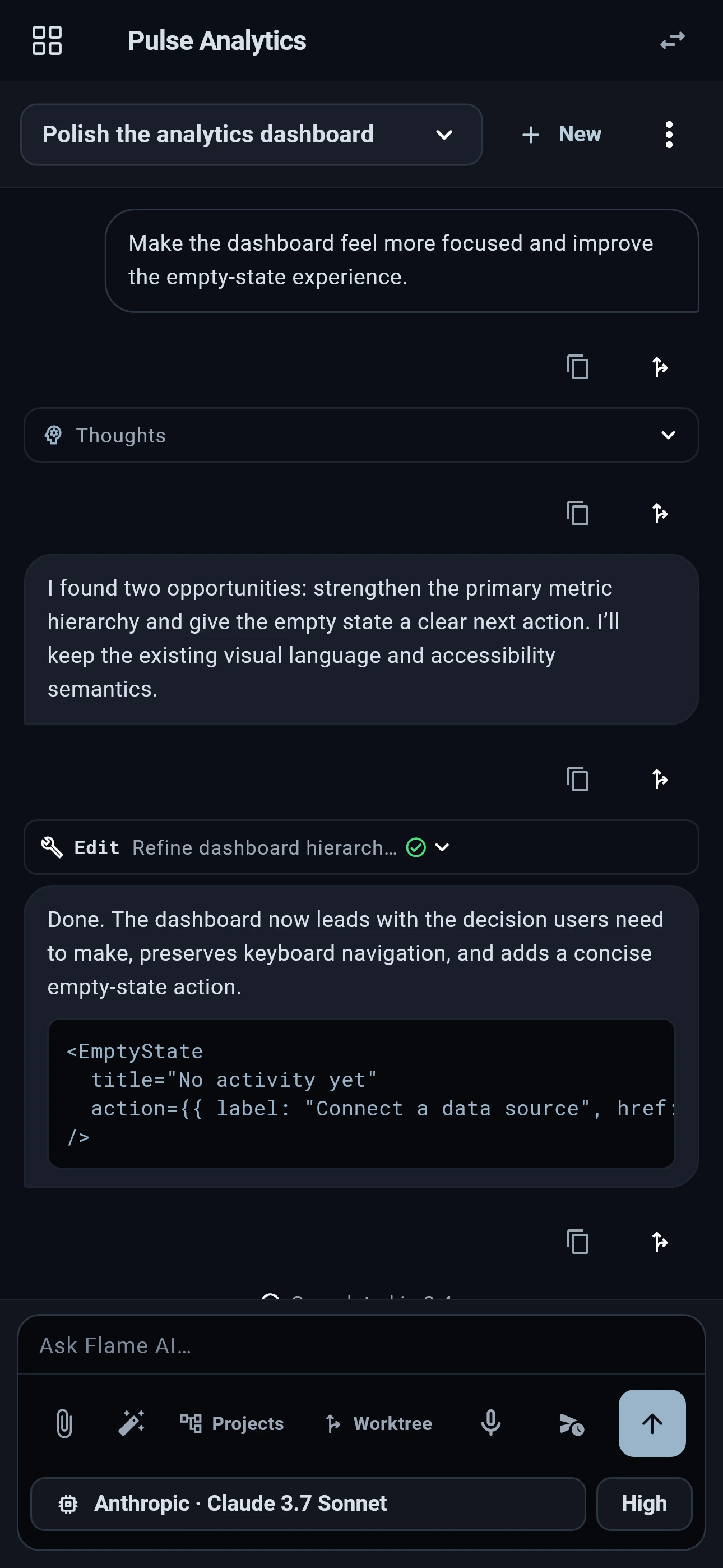
Flame Mobile AI conversation with thinking, code edits, and completed agent output
Your agents, still in reach
One workspace. Two ways in.Native mobile controlsEnd-to-end encrypted connectionYour computer runs the work
A DIFFERENT REASON TO CHOOSE YOUR IDE

The next step shouldn’t have to wait for your desk.

An agent has a question. A change needs a second look. You remember the command you wanted to run just after leaving your desk. Those are small moments, but they can hold up the whole task.

Flame brings your desktop workspace and a native mobile companion together. Start the work in the IDE, step away, and use your phone for the next decision. Your repository, tools, and running processes stay on the development computer.

WHEN AN AGENT NEEDS YOUAnswer the question. Keep it moving.

WHEN A CHANGE IS READYSee what changed before you decide.

WHEN AN IDEA ARRIVESGive it project context while it’s fresh.

01 / KEEP THE CONVERSATION GOING
Native Flame Mobile AI chat showing a user request, agent reasoning, tool activity, and the completed change
YOUR AGENTS DON’T NEED YOUR DESK CHAIR

Let the agent work.
Stay part of the conversation.

You’ve already given the task its project, files, and direction. Take that conversation with you. Follow streaming responses, reasoning, and tool output in a mobile interface built for reading and responding.

  • Unblock the next step.Answer questions and approve or deny supported tool requests with the context in front of you.
  • Use the models you already configured.Work with the providers and agent controls available on your Flame workstation.
  • Bring the idea into the project.Add files or images, dictate an editable message, and continue the conversation where the code lives.
Explore agents in Flame
REAL GIT. MADE FOR YOUR HAND.

Your repository has a story.
Take the whole picture with you.

Branches, searchable commits, a visual graph, worktrees, tags, and stashes belong in the same Git workspace. Review the history, switch context, and use pull, push, or fetch against your connected development computer.

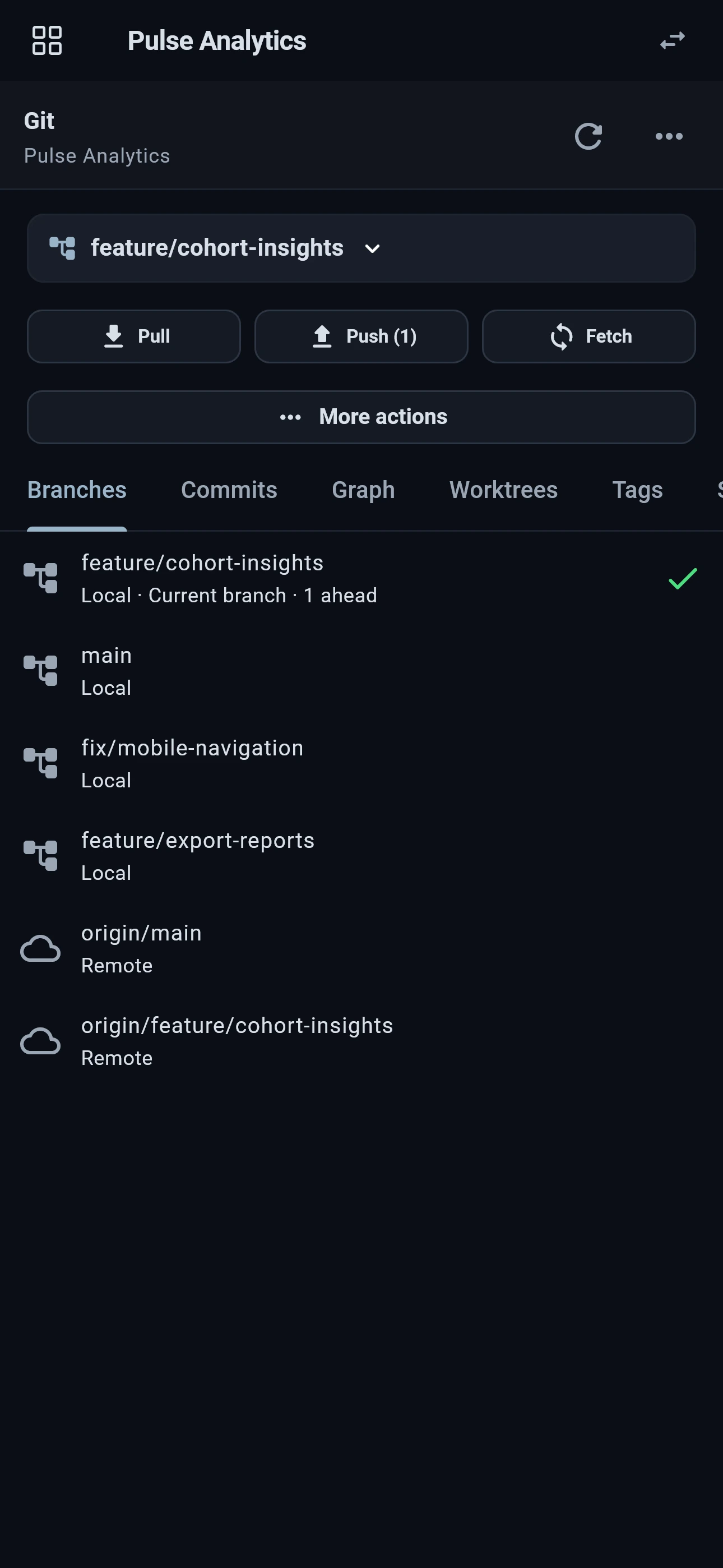
Updated Flame Mobile Git panel showing local and remote branches, pull, push, and fetch
01 / BRANCHES

Know where you are.

See local and remote branches, your current branch, and ahead/behind status before the next action.

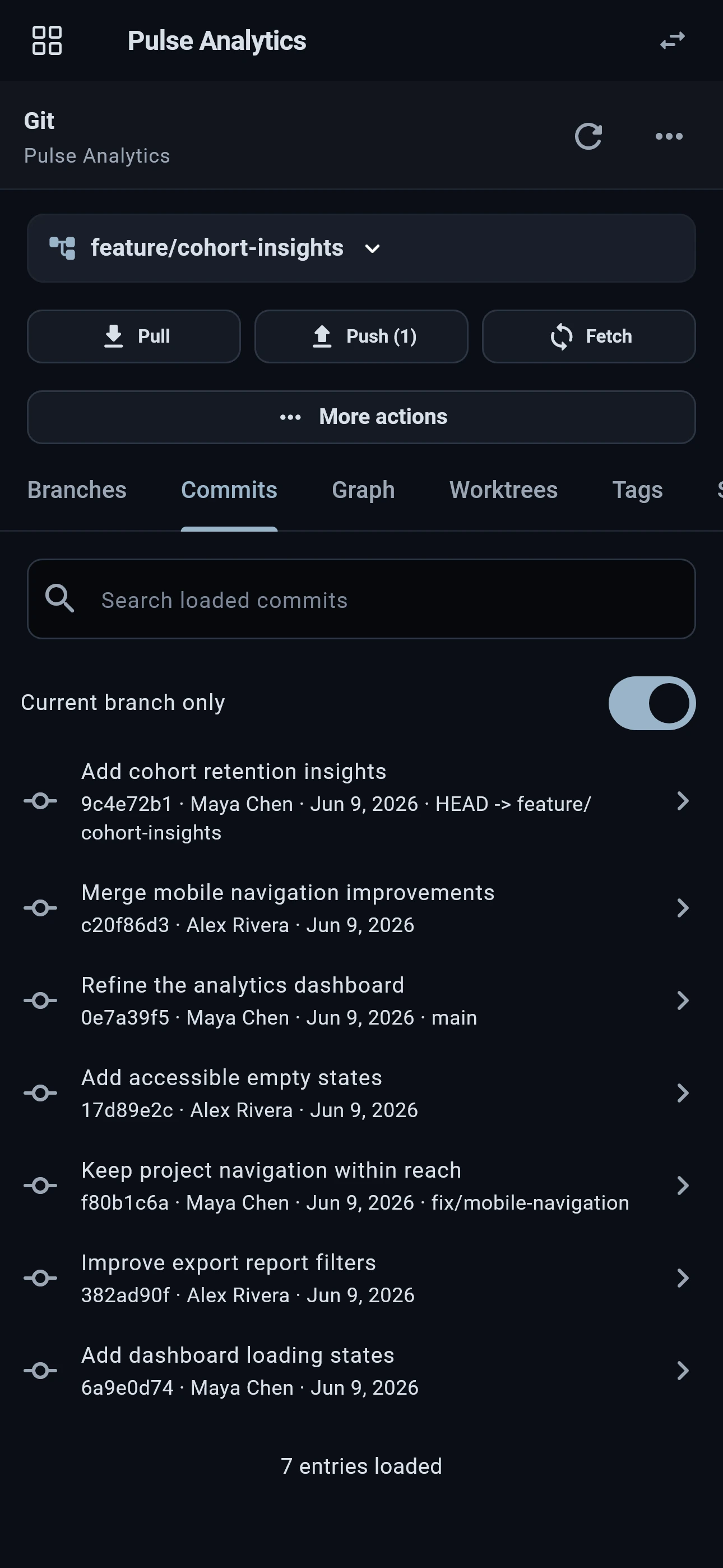
Flame Mobile searchable commit history with authors and a current-branch filter
02 / COMMITS

Follow the decisions.

Search loaded commits, narrow the history to your branch, and open a commit to inspect its changes.

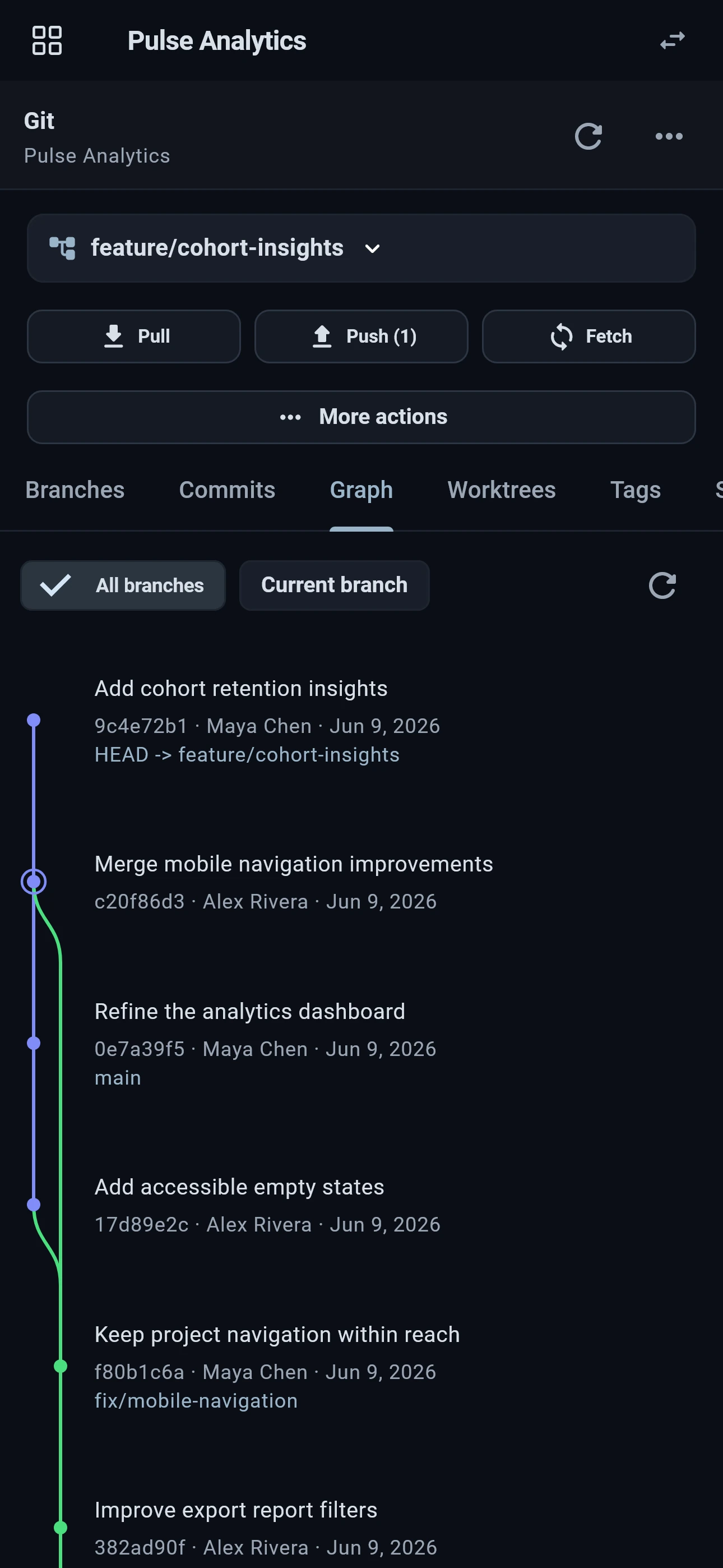
Flame Mobile Git graph with branch labels, merge paths, and commit details
03 / GRAPH

See how it connects.

Trace branches and merge commits in a visual graph. Keep the repository's story in view from your phone.

Captured in the native Flame Mobile app with a sample project.

SMALL SCREEN. USEFUL CONTEXT.

Know what changed.
Know what happened.

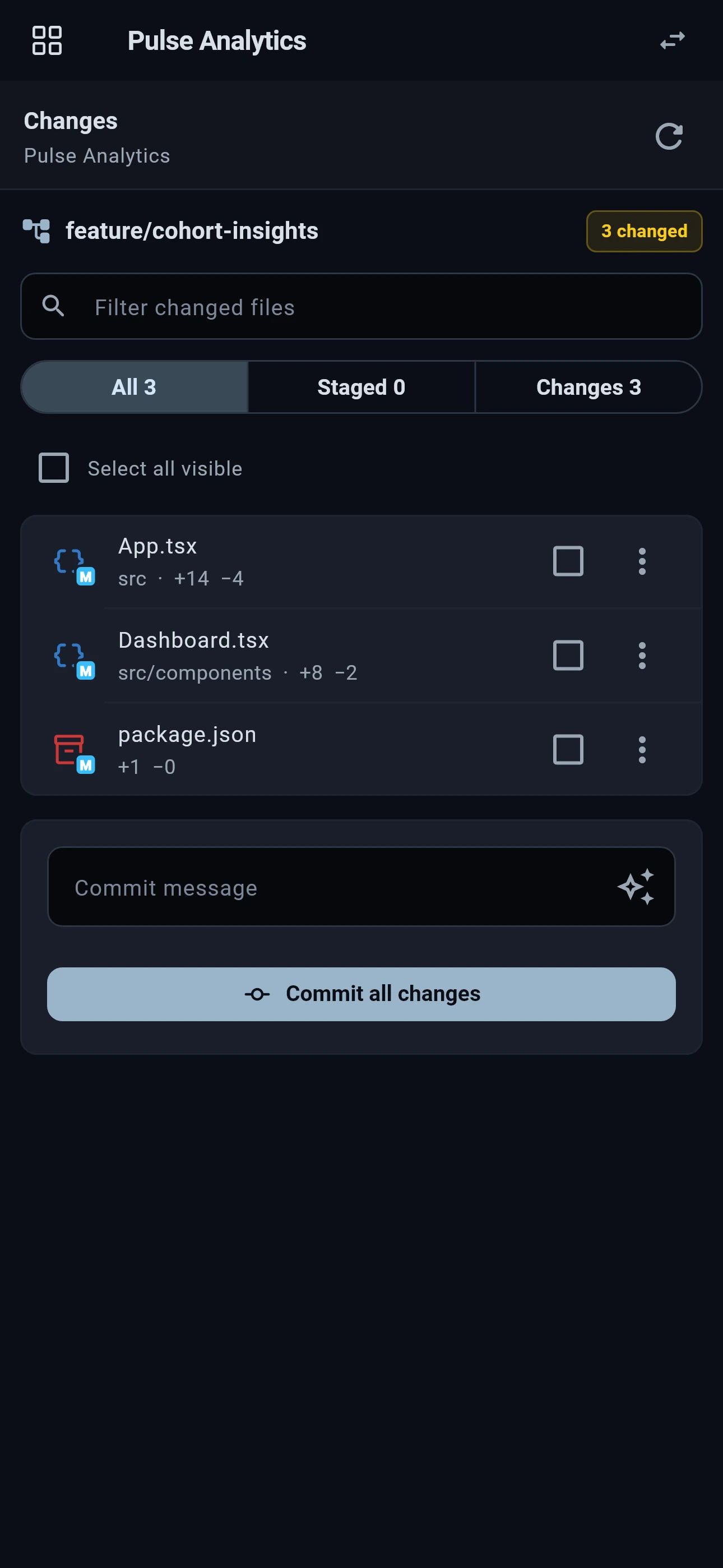
The Changes panel gives you a focused view of the working tree, with additions and deletions attached to the files they came from. Open a diff, check the detail, and stage or commit the work when you’re ready.

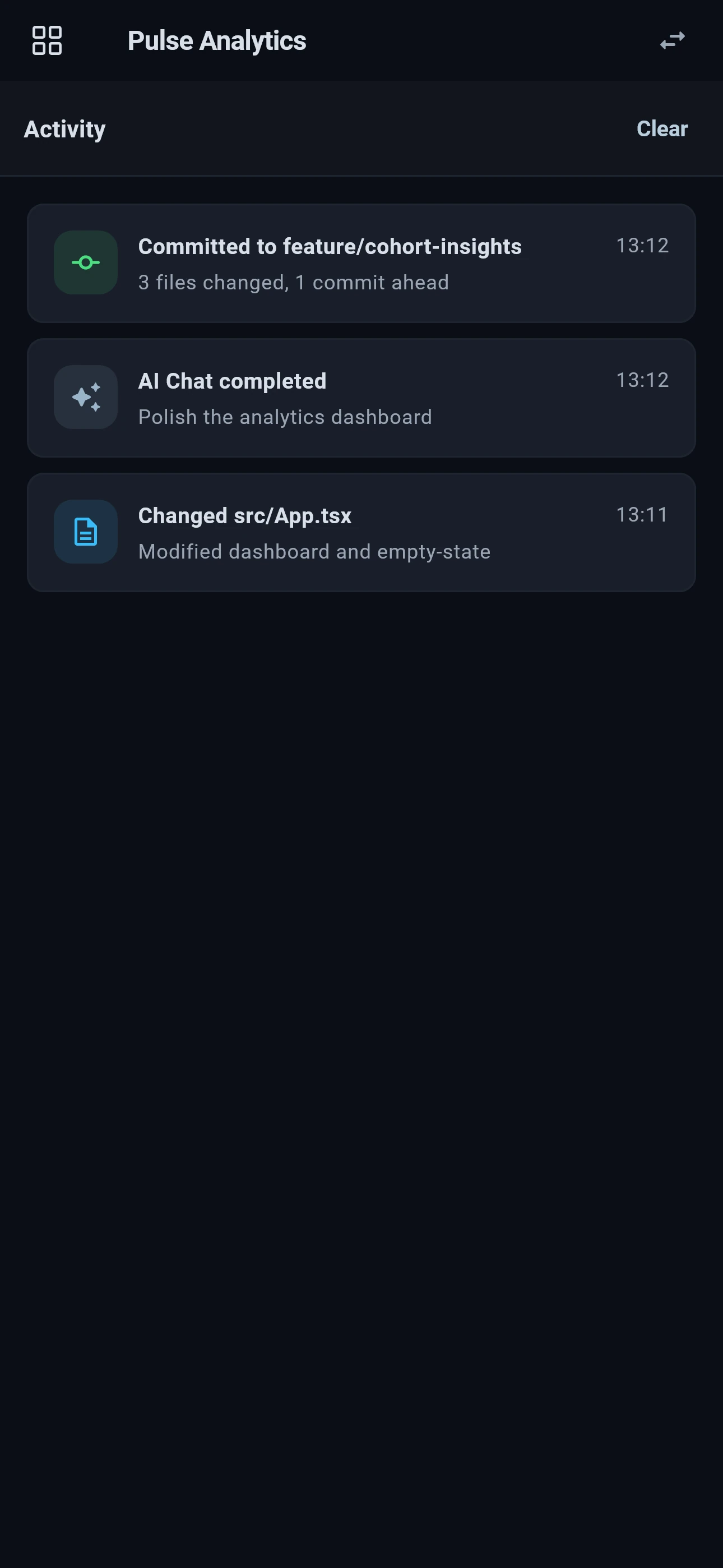
Activity keeps commits, agent completions, and file updates close. A quick check can tell you whether a task has moved forward or whether it needs your attention.

See what you can do from your phone
Flame Mobile Changes panel with modified source files and line change counts
Review the working tree
Flame Mobile Activity feed with commits, AI chat completions, and file updates
Follow project activity
MORE THAN A STATUS CHECK

The tools to do something about it.

Move from seeing an update to taking the next useful action, with the project’s tools already connected.

01

A real terminal. On your real machine.

Run a project script, inspect command output, or check a service through the workstation's terminal. Your installed tools and environment stay on the computer. Touch-friendly keys put Ctrl, Esc, Tab, and arrows within reach.

02

Find the file. Make the small fix.

Browse project files, search text and symbols, and edit supported text files. Check the exact code an agent changed or save a focused correction without setting up a second development environment.

03

Check the tests and the pipeline.

Discover and run tests, inspect failures and output, and follow supported CI/CD tools from the same project. Go from an update to the evidence behind it while your workstation runs the commands.

04

Keep the next step with the project.

Access connected tracker tasks, shared global and project todos, and My Activity. Capture a follow-up, complete a todo, or prepare an AI chat with the context that will be useful when you return.

Available tools depend on the connected IDE version and device permissions. Keep your development computer online with Flame running. Commands and agents execute on that computer.

YOUR WORKSPACE. YOUR ACCESS.

Connected to your computer.
Controlled by you.

Pair the native app with your own Flame workstation. Secure Relay carries workspace traffic encrypted end to end between your device and computer.

  1. 01

    Pair from the desktop.

    Enable Secured Access in Flame, generate a QR code, and scan it in the mobile app.

  2. 02

    Confirm it’s your device.

    Enter the phone’s confirmation number on the desktop and choose its access duration.

  3. 03

    Stay in control.

    Review paired devices, revoke access, or turn Remote Access off from the workstation.

Available soon · iOS & Android

A desktop IDE worth
taking with you.

Build your workspace in Flame IDE today. Flame Mobile will put its supported tools in your pocket when the app becomes available.

Get Flame IDE
FAQ

A few things before you go mobile.