Download Flame IDE
Desktop builds are available for macOS, Windows, and Linux.
Choose your platform below to download and install.
Stable 0.1.38 · Released
Free to use · No Flame account required
macOS
Apple Silicon & IntelChoose Apple Silicon (M-series) or Intel. Open the .dmg and drag Flame to Applications.
Version 0.1.38 · November 11, 2026
Package checksums
Flame-0.1.38-arm64-mac.dmg
SHA-512 (Base64)
rMi0TCIcsvDpo+7XUpj1xcUGt4lwtPcyt8L0XoIO79Hfo09slSAL5tVT8aaFNZoEuow2sxIRes5JTLIYmDpksw==SHA-256 is not published for this file.
Package checksums
Flame-0.1.38-x64-mac.dmg
SHA-512 (Base64)
bTZofBTIE9ET/Kk2PQreQYy1xseWSX2zpyGBSwu0suyxzZkMtoASEqd73OSDs1Ro76+5MHyuPjxmpcbHN03kGw==SHA-256 is not published for this file.
Windows
x64 & ARM64Windows 10 / 11. Choose x64 for Intel or AMD, or ARM64 for Windows on Arm.
Version 0.1.38 · November 11, 2026
Package checksums
Flame-0.1.38-x64-win.exe
SHA-512 (Base64)
HQlxvfA3W5Ujkm9bZY9CXHMp7N8VJmDWSXJnzn3zIOCGV5V7pt508/z9uTap+O35oqY7eM7bvmHfCgiWBB8axQ==SHA-256 is not published for this file.
Package checksums
Flame-0.1.38-arm64-win.exe
SHA-512 (Base64)
AHrJU4w2JXPHL8jWm5U+jChzan/oBsGVG4r40eTKy3ok7Wb6mfTmHvz3kLjXQC761S2+/ePcbSi42lWQYXHZWA==SHA-256 is not published for this file.
Linux
AppImage & .debAppImage for x64 and ARM64. Debian / Ubuntu .deb packages are available for x64.
Version 0.1.38 · November 11, 2026
Package checksums
Flame-0.1.38-x86_64-linux.AppImage
SHA-512 (Base64)
TdQccbpCPPTIoQpRKD0Aq9v+vT79PbmQRPhtkJAdKnyHMJuEBYoY7e2EBRWvgue4nwugx5bQ9CJIX9ntD1zzQA==SHA-256 is not published for this file.
Package checksums
Flame-0.1.38-arm64-linux.AppImage
SHA-512 (Base64)
1IwaiXdXKkDDgNjm8o0N8yhY1lYN97zF2OYFkFuQYXD2BjwG4WgZYY4+EBYi95icHmN2+iEx9iXHyRtIVr/rFQ==SHA-256 is not published for this file.
Package checksums
Flame-0.1.38-amd64-linux.deb
SHA-512 (Base64)
/Hq7xeBHW9l2jorbCwSam+nlp2ytLwVhftj549ybKCXJO4wXr0JGgO8wYpQo3Nbcd/i3IOrRrlYPDCykUjnuVw==SHA-256 is not published for this file.
Verify your download
Choose Checksums on a package above for its exact filename and published checksum. Compare the checksum before installing. Checksums verify file integrity; installer signatures identify the publisher.
macOS
Open the .dmg and drag Flame to Applications. The release feed does not publish a signing identity or notarization status. Inspect the installed app with:
codesign -dv --verbose=4 /Applications/Flame.app
spctl --assess --verbose /Applications/Flame.app
Windows
Choose x64 for Intel or AMD, ARM64 for Windows on Arm. The release feed does not publish an Authenticode signing status. Check the downloaded installer in PowerShell:
Get-AuthenticodeSignature .\Flame-*.exeLinux
AppImage is available for x64 and ARM64; .deb is for x64 Debian or Ubuntu. Mark the AppImage executable before opening. The feed does not publish a detached package signature.
The current updater publishes SHA-512 (Base64). SHA-256 is shown when the service supplies it; it cannot be derived from SHA-512. To compute the comparable SHA-512 value locally:
Checksum commands for macOS, Windows, and Linux
Replace FILE with the exact downloaded filename.
macOS or Linux
openssl dgst -sha512 -binary FILE | openssl base64 -AWindows PowerShell
$hash = (Get-FileHash -LiteralPath 'FILE' -Algorithm SHA512).Hash
[Convert]::ToBase64String([byte[]]($hash -split '(..)' | Where-Object { $_ } | ForEach-Object { [Convert]::ToByte($_, 16) }))- macOS on Apple Silicon or Intel
- Windows 10 / 11 installer (x64 or ARM64)
- Linux x64 or arm64 for AppImage; x64 for .deb
- Git is recommended; optional language toolchains are detected from PATH
- Memory and accelerator requirements for local AI depend on the model and local engine you choose
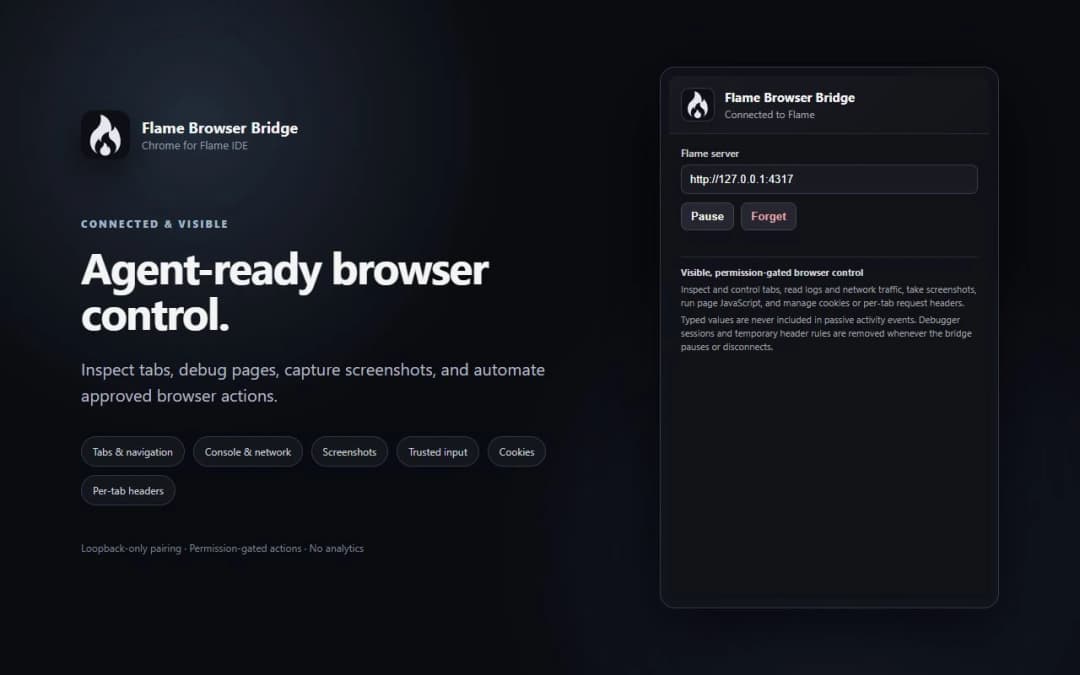
Pair your real Chrome profile to Flame IDE so permission-gated AI agents can inspect live DOM, capture screenshots, view console logs, and debug network events.